【shopify】注文確定時にメタフィールドに情報を書き込む【Flowのみ】
概要
・Shopify Flowを使用して、注文作成時に商品バリエーションのメタフィールドへ情報を自動的に書き込む。
今回は予約日を「Json形式」で記録する。
・Flow使用時のメタフィールド(json)の制限は10KB(10,240バイト)と言われている。
そのため予約日は古い日付から順次削除される仕様にする。
1.メタフィールドの設定
1-1.メタフィールドの作成
・設定から「メタフィールドおよびメタオブジェクト」を選択
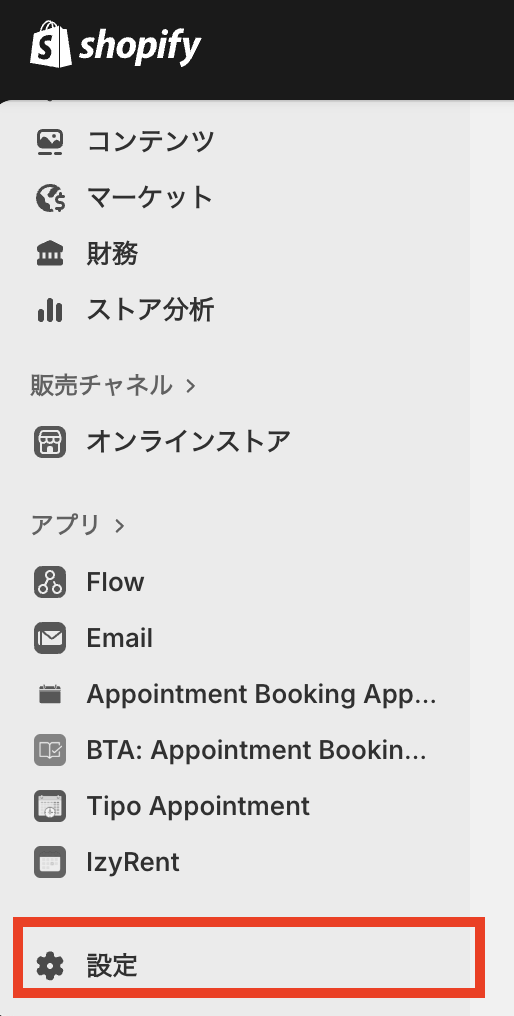
↓
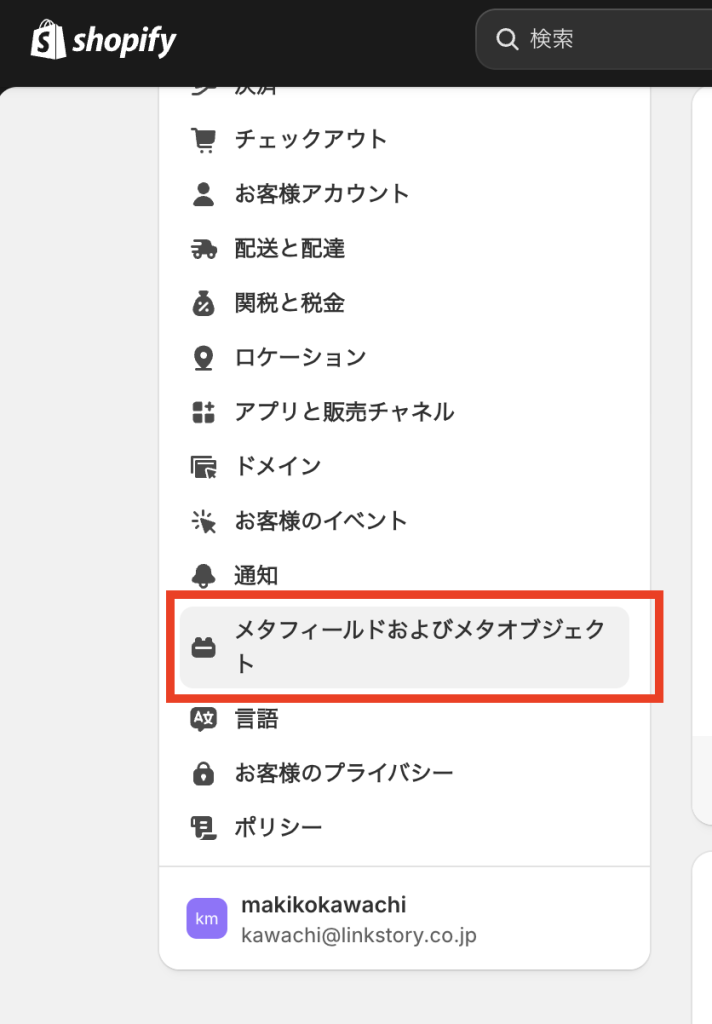
・追加したい箇所を選択し、右上の「定義を追加」をクリック。
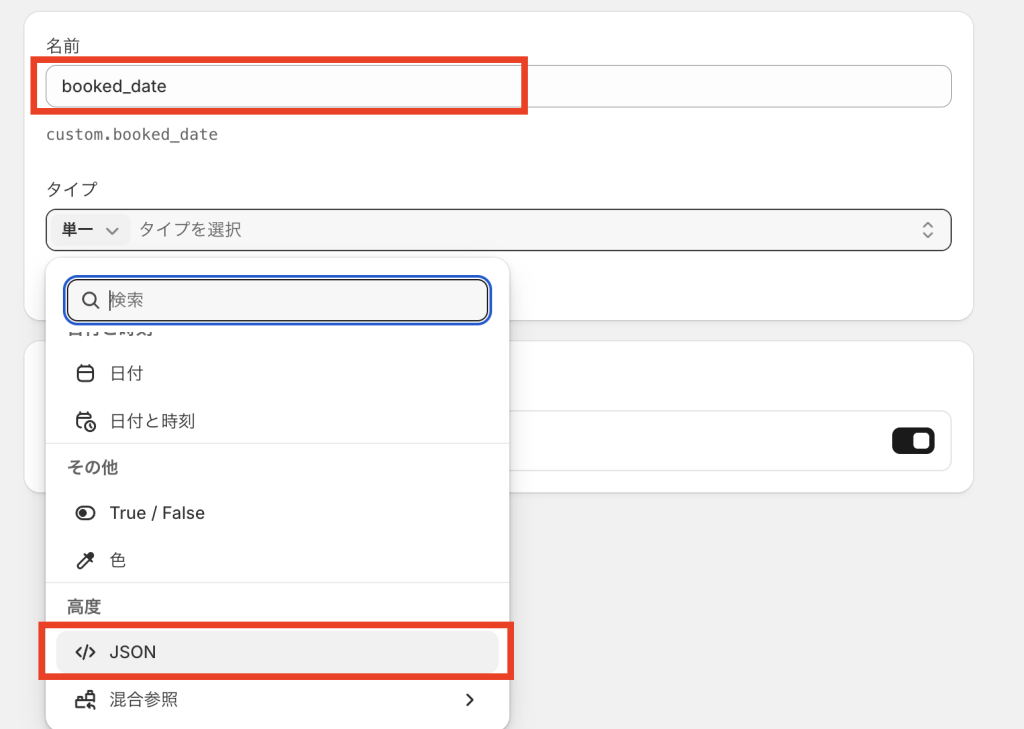
・「名前(半角英数字で)」と「タイプ」を入力する(自動保存)。
1-2.作ったメタフィールドの確認(バリエーションの場合)
・適当な商品を選択。
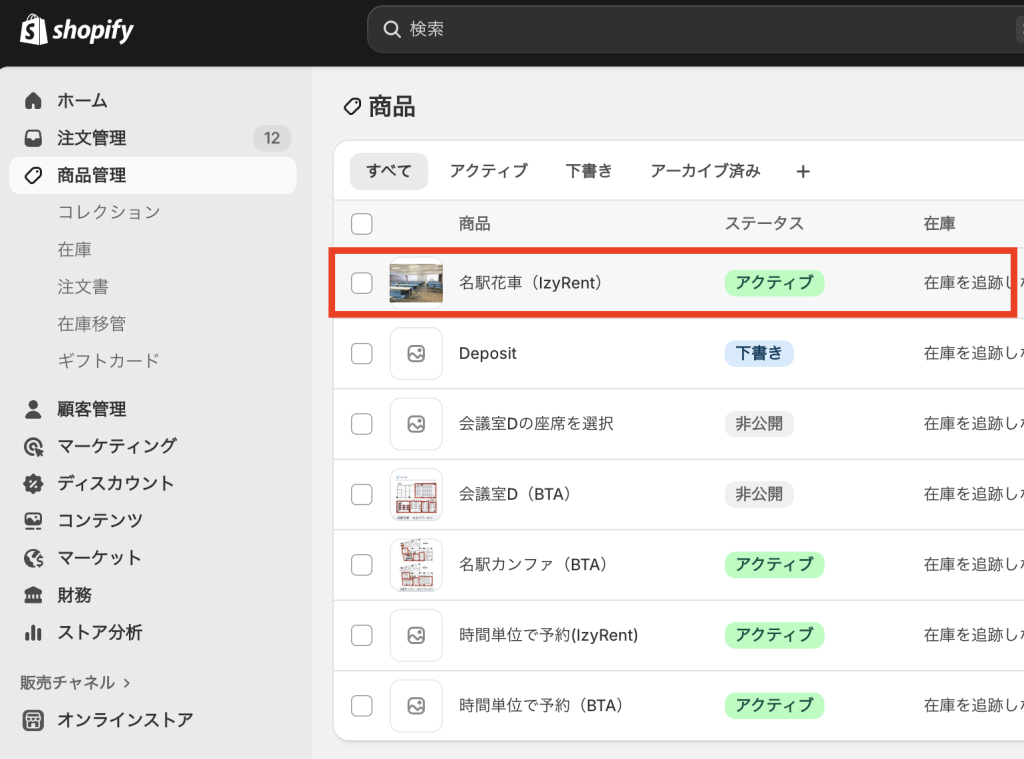
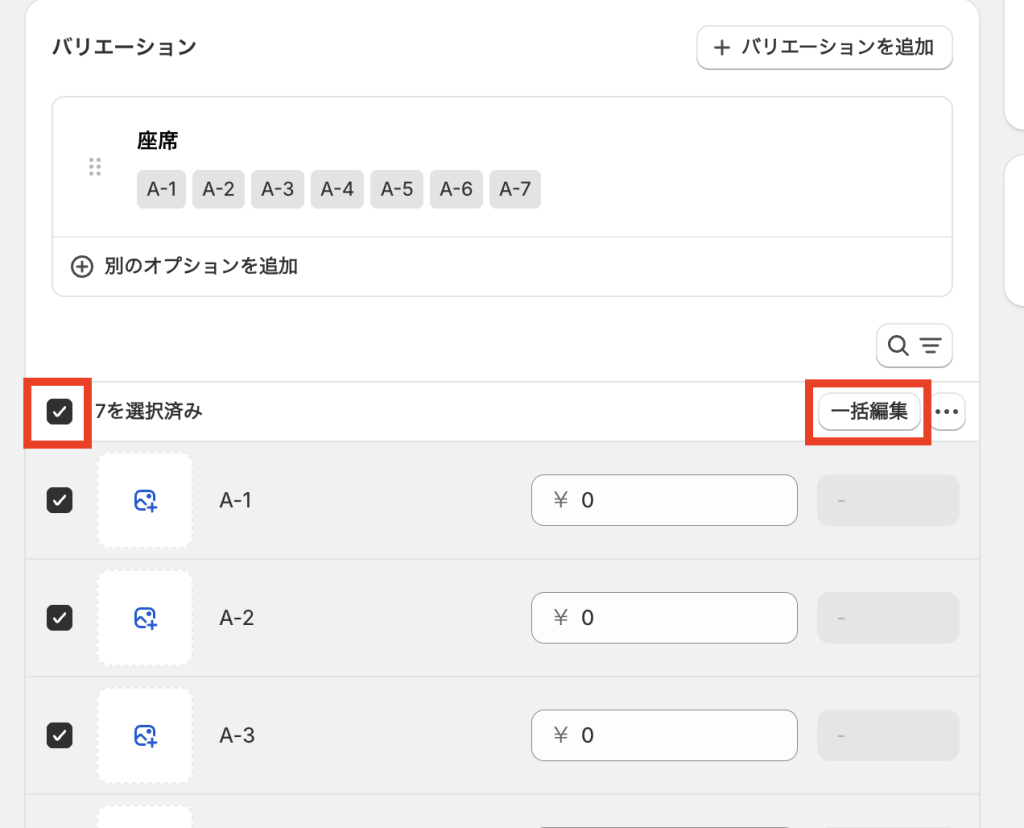
・バリエーションの欄で全てにチェックを入れて、「一括編集」をクリック。
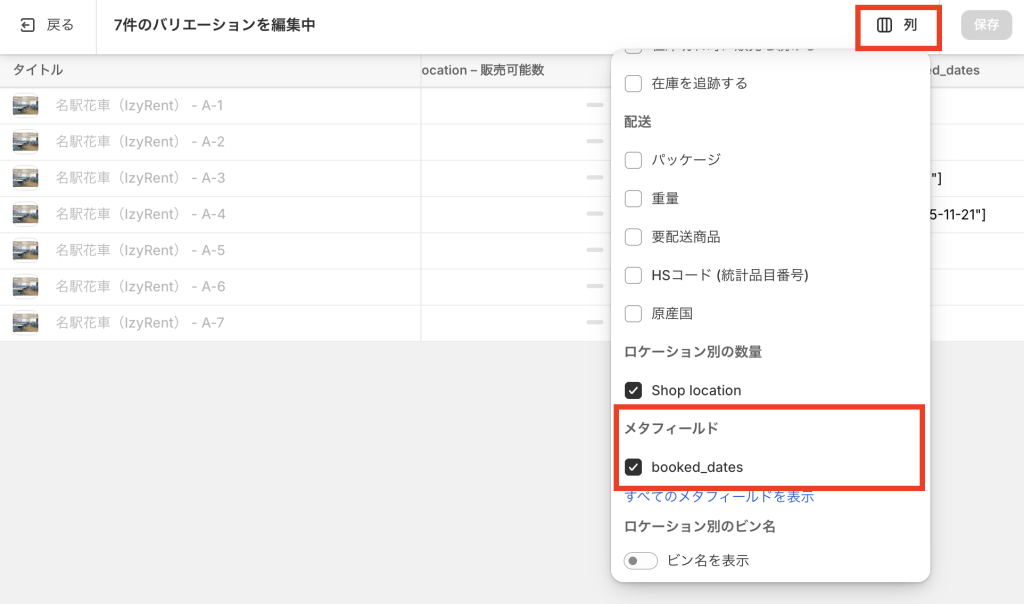
・右上の「列」をクリックし、表示したいメタフィールドを選択。
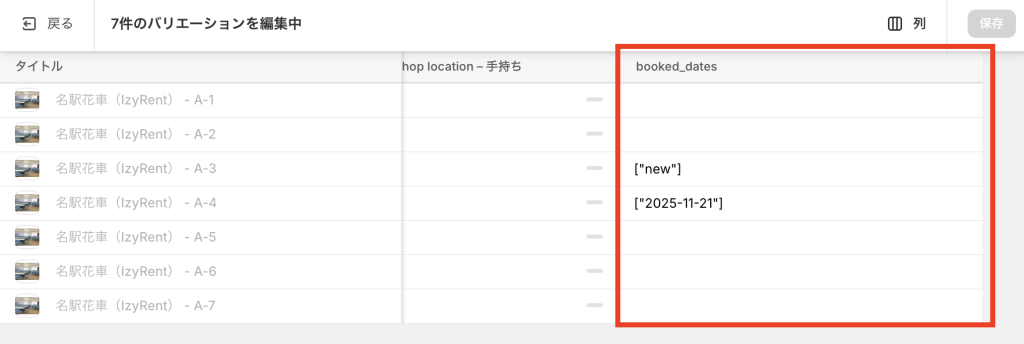
・作成したメタフィールドとその値が確認できる。
2.Flowの作成
・Flowの構成
1. トリガー:  注文作成時
2. ループ:   注文内の各商品に対して処理
3. 取得と判定: 商品バリエーション情報とメタフィールド。
4. 処理:    予約日の抽出と整形
5. 更新:    メタフィールドへの書き込み(新規作成または更新)
2-1.Flowを有効化
・Shopify管理画面から「設定」→「アプリと販売チャネル」→「Flow」を開く
※メニューにピン留めしておくと便利
2-2.Flowの詳細設定
ステップ1: トリガーの設定
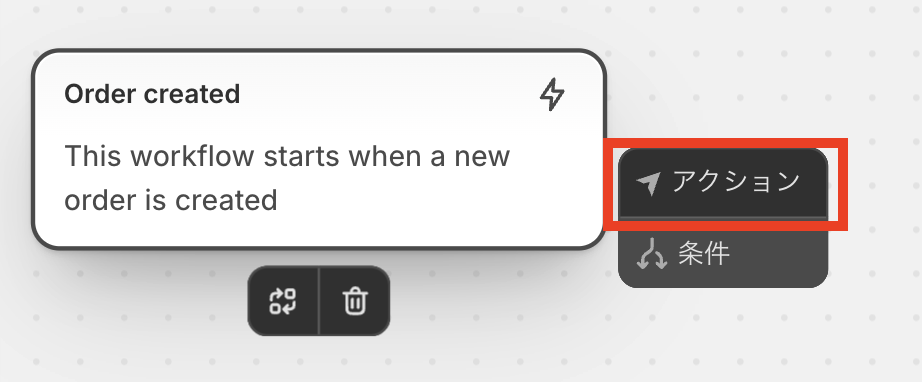
・トリガーとして「Order created」を選択。
ステップ2: 商品のループ処理
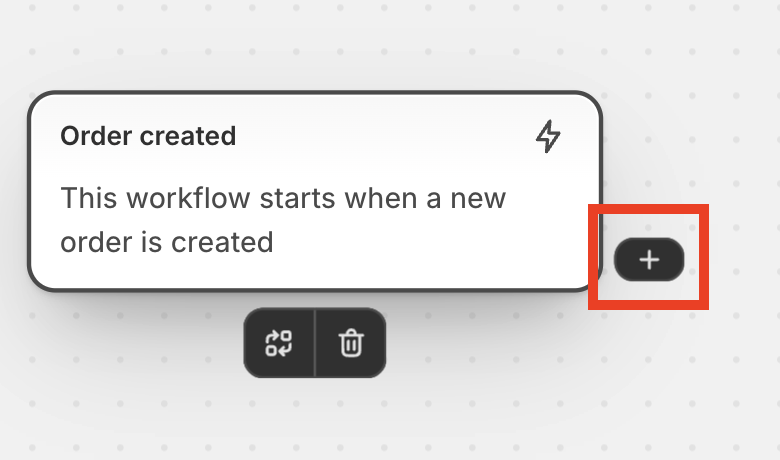
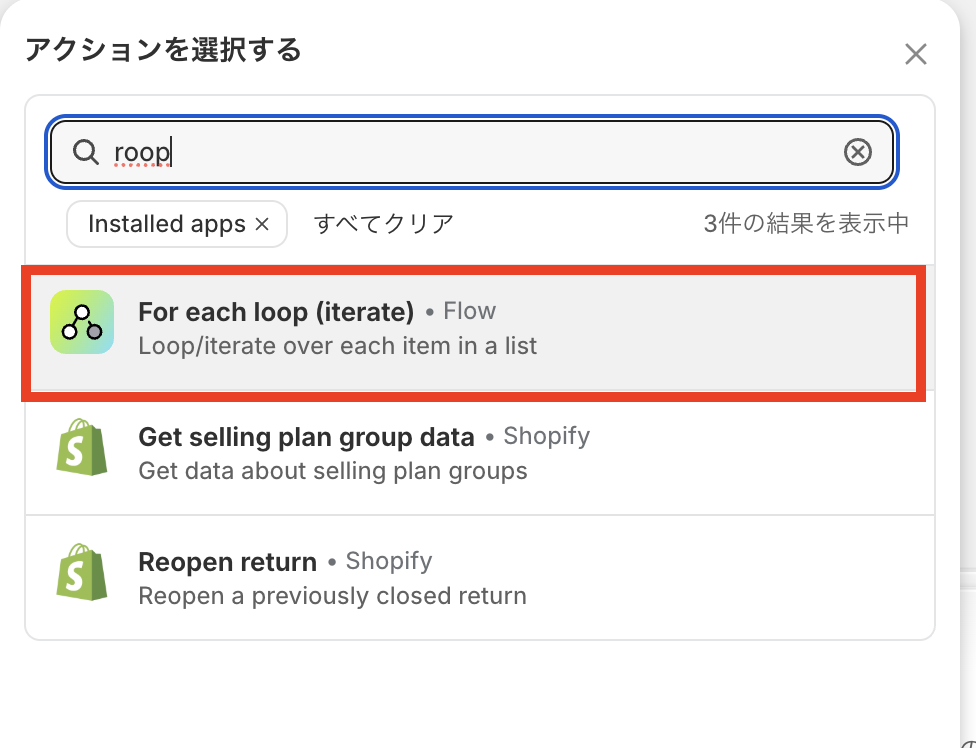
・先に作った「order created」のボックスから「+」を選択→「アクション」→「For each loop (iterate)」を選択
↓
↓
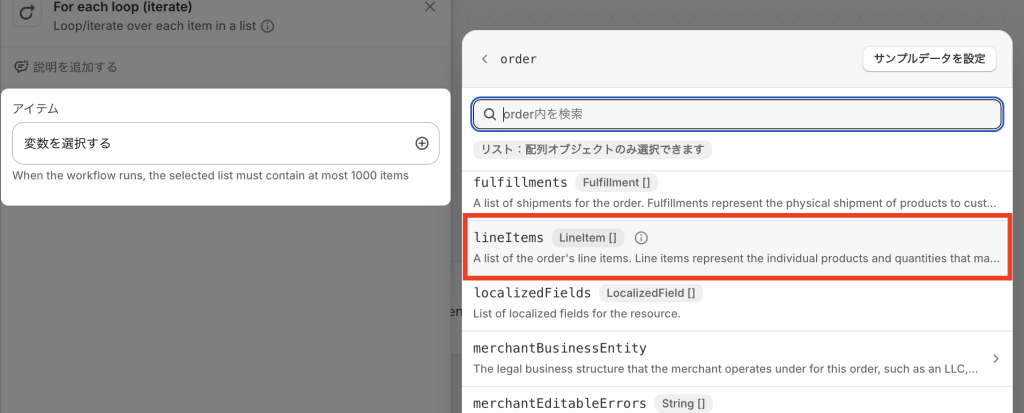
・アイテムの欄から「order.lineItems 」を選択。
ステップ3: 現在のメタフィールド情報の取得と条件判定
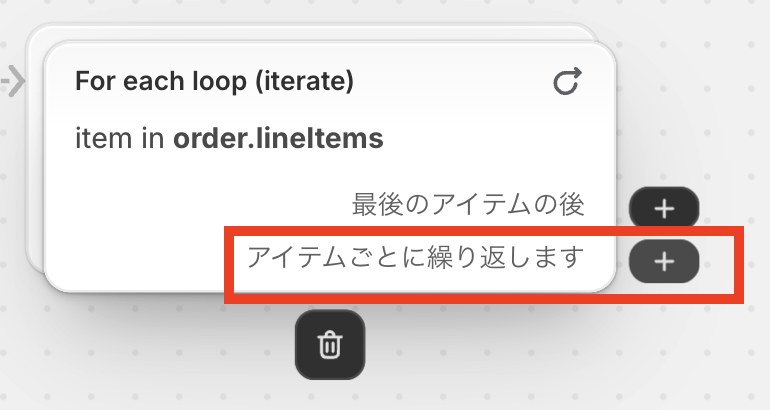
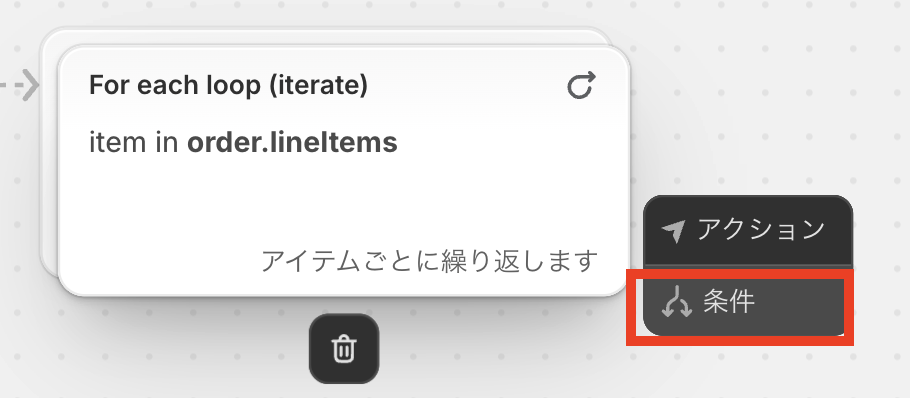
・先に作った「For each loop (iterate)」のボックスから「アイテムごとに繰り返します」の横の「+」を選択→「条件」を選択
↓
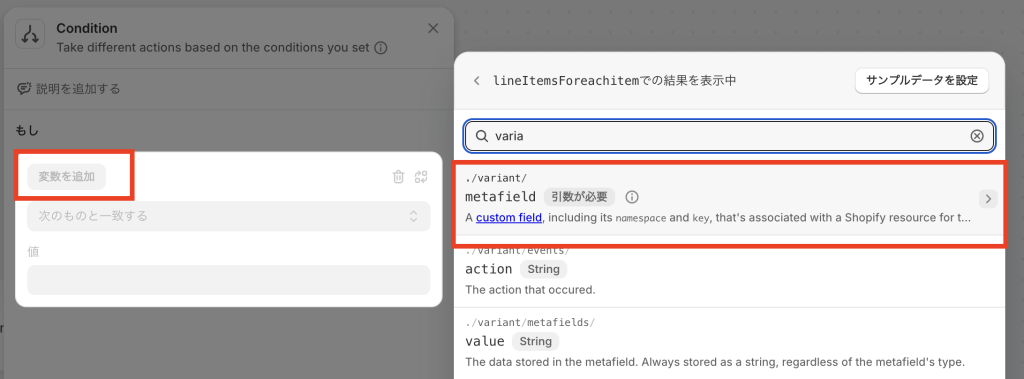
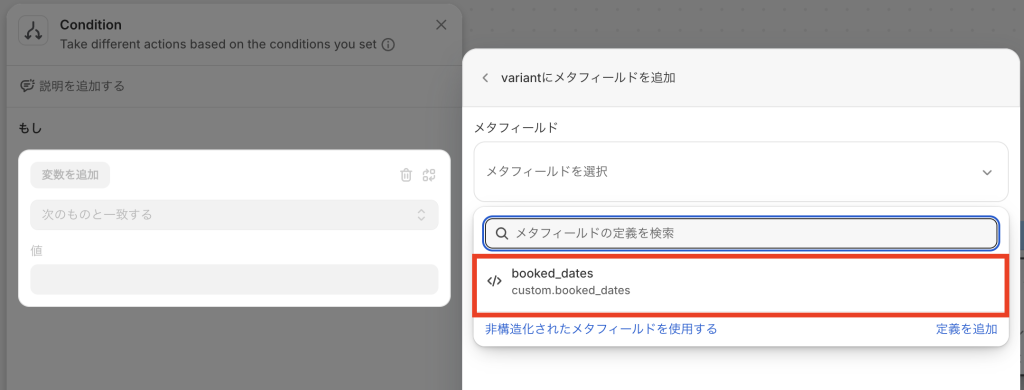
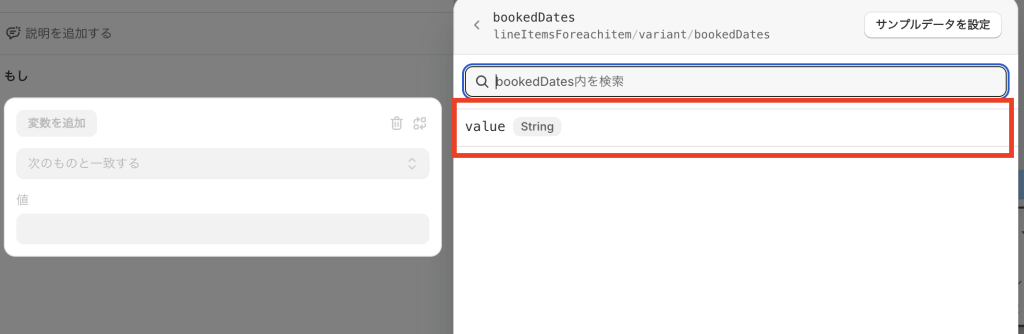
・「Condition」のボックスが開くので、「変数を追加」→「metafield」→「作成したメタフィールド」→「value」と選択。
※これで注文した商品(バリエーション)に紐づくメタフィールドに、現在登録されている値が取得できる。
↓
↓
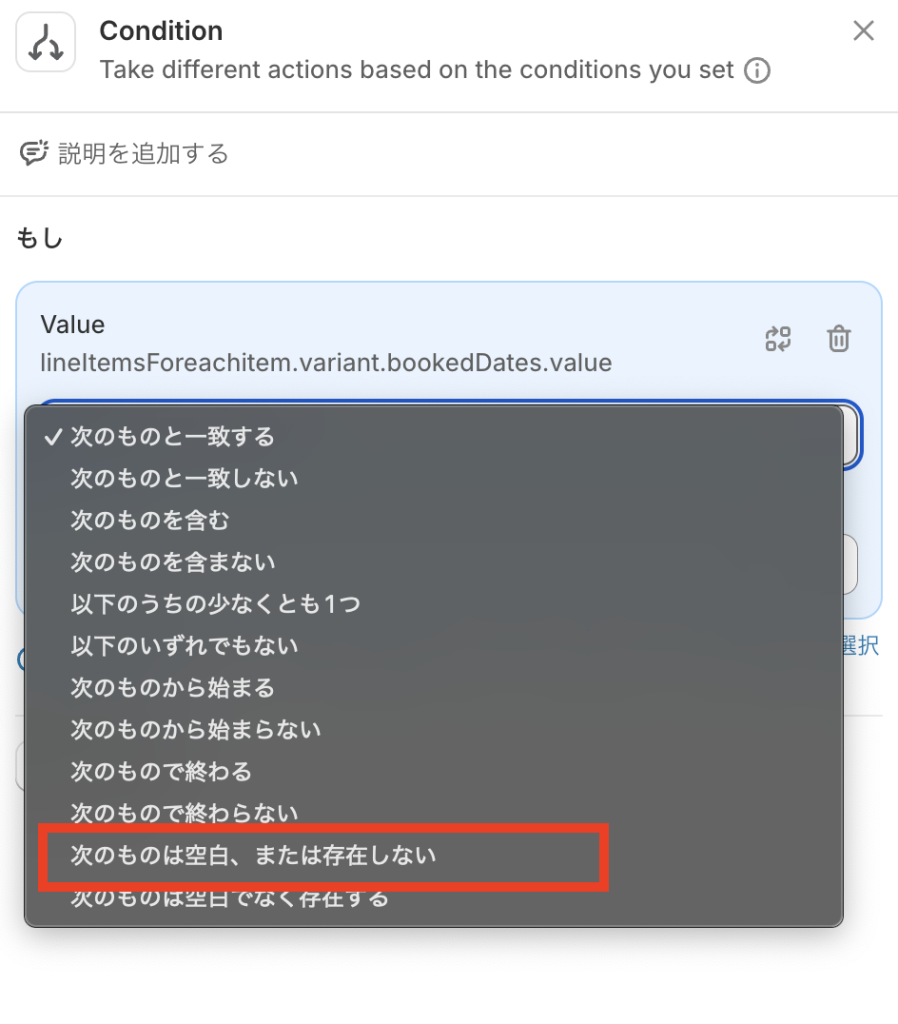
・この値に対して、今回は「次のものは空白、または存在しない」を選択
※この後、値がすでに入っているかどうかで処理を分けるため。
ステップ4: メタフィールドへ新データの登録(予約日の抽出と整形処理含む)
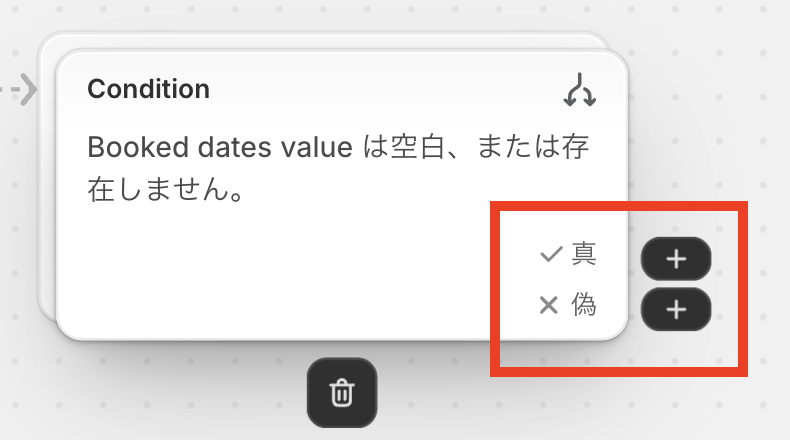
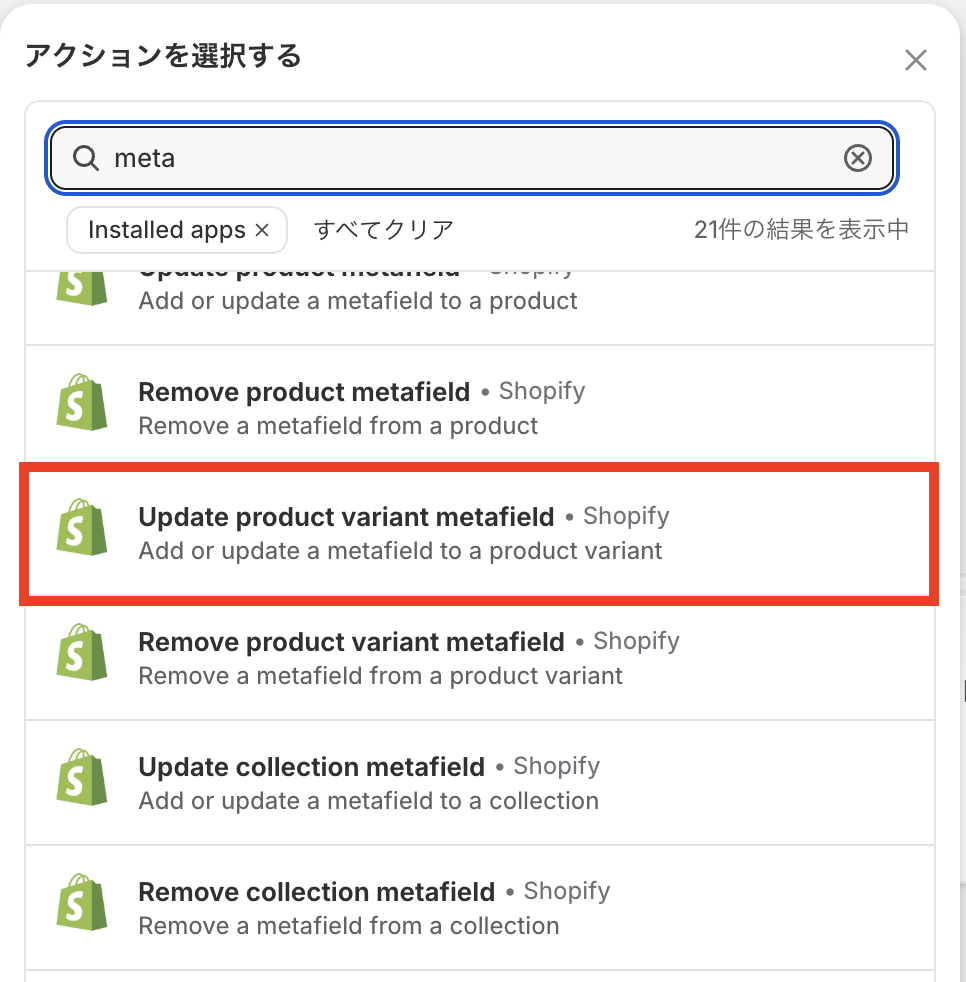
・先に作った「Condition」のボックスに「真」と「偽」の項目があるので、それぞれに「Update product variant metafield」のアクションを追加。
※「真」:現在、メータフィールドに値がない場合
→「新しいデータを新規追加」する処理を登録する。
※「偽」:現在、メータフィールドに値が入っている場合
→現在のデータをいったん取得して、新データを追加してから更新する。
↓
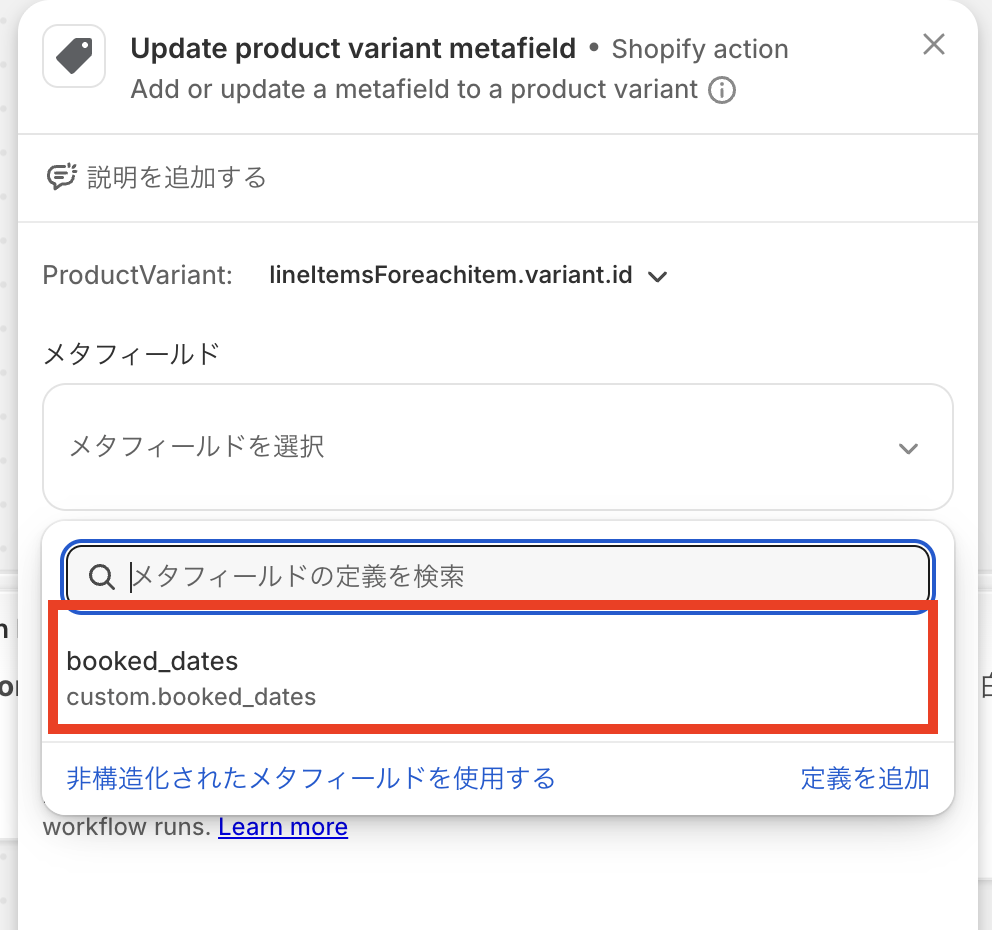
・使用するメタフィールドを選択する。
・「value」の項目に「メタフィールドに登録する値」を入力する。
※この中で「予約日の抽出」「jsonデータの整形処理」なども記述する。
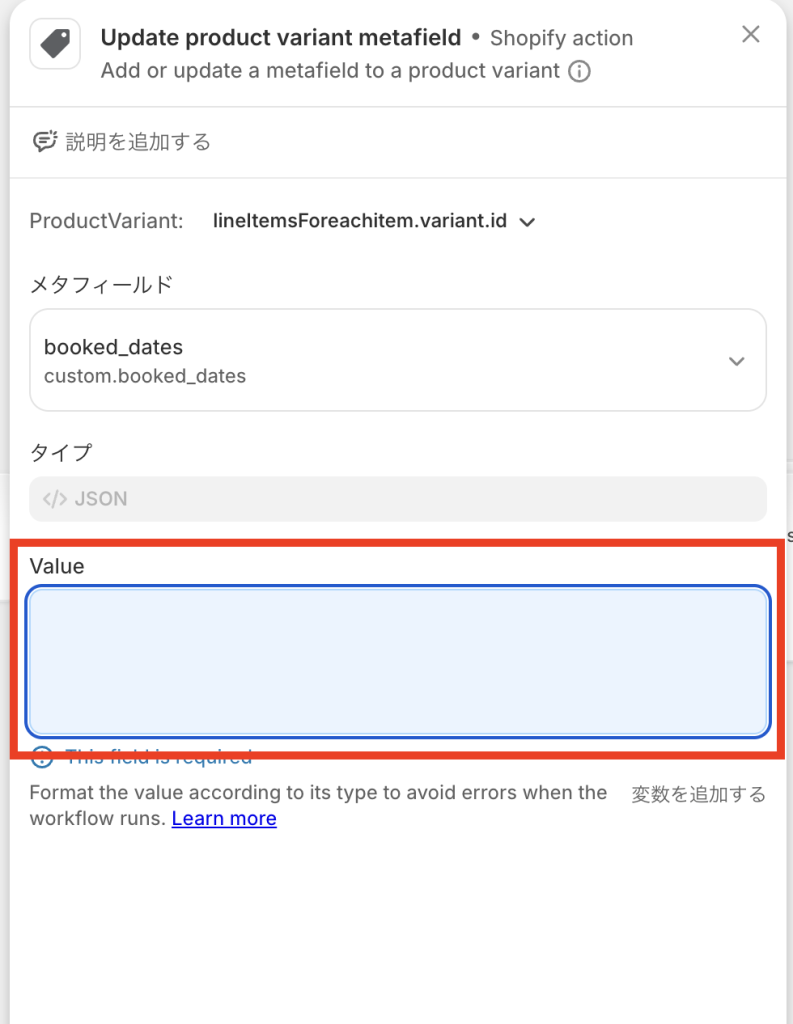
<Valueの中身(例)>
・「真」:現在、メータフィールドに値がない場合
{% assign date_value = "" %}
{% for attr in lineItemsForeachitem.customAttributes %}
  {% if attr.key == "Date" or attr.key == "Start" %}
    {% assign date_value = attr.value %}
    {% break %}
  {% endif %}
{% endfor %}

{% assign date_clean = date_value | replace: ' ', '-' | replace: '/', '-' %}
["{{date_clean}}"]
・「偽」:現在、メータフィールドに値が入っている場合
{% assign new_date = "" %}
{% for attr in lineItemsForeachitem.customAttributes %}
  {% if attr.key == "Date" or attr.key == "Start" %}
    {% assign new_date = attr.value %}
    {% break %}
  {% endif %}
{% endfor %}

{% assign date_clean = new_date | replace: ' ', '-' | replace: '/', '-' %}
{% assign dates = lineItemsForeachitem.variant.bookedDates.value | remove: '[' | remove: ']' | remove: '"' | split: ',' %}
{% assign datesSize = dates| size %}

{% if datesSize >= 4 %}
  {% assign new_array = '' %}
  {% for date in dates offset:1 %}
    {% if forloop.first %}
      {% assign new_array = date | strip %}
    {% else %}
      {% assign new_array = new_array | append: ',' | append: date | strip %}
    {% endif %}
  {% endfor %}
  ["{{ new_array | split: ',' | join: '","' }}","{{date_clean}}"]

{% else %}
  {{lineItemsForeachitem.variant.bookedDates.value | remove: ']' | append: ',"' | append: date_clean | append: '"]'}}

{% endif %}
<参考:注文情報の変数名>
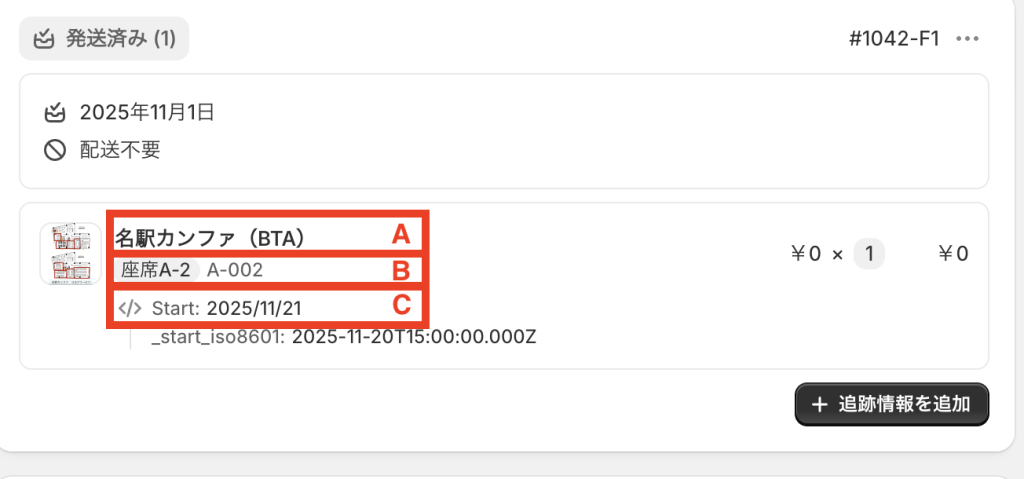
A:lineItemsForeachitem.product
lineItemsForeachitem.product.title: 名駅カンファ(BTA)
B:lineItemsForeachitem.variant
lineItemsForeachitem.variant.title: 座席A-2
lineItemsForeachitem.variant.sku: A-002
C:lineItemsForeachitem.customAttributes
lineItemsForeachitem.customAttributes.key:  Start
lineItemsForeachitem.customAttributes.value: 2025/11/21